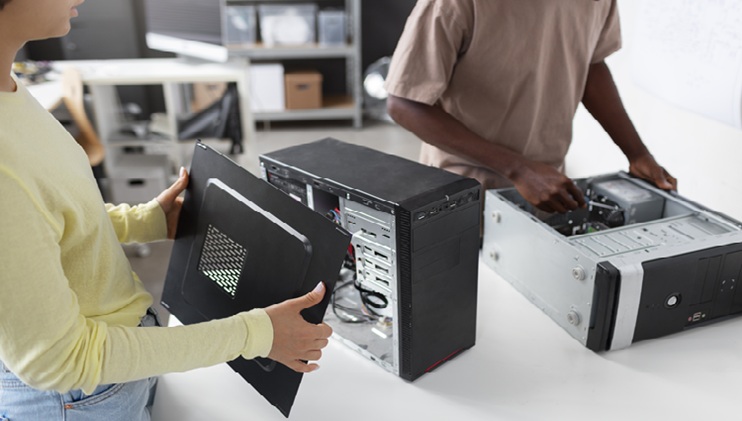

A PC case can do more than house the components. It can impact airflow, cooling, upgrades, cable management, noise, and looks. There’s a temptation to only look at the design when selecting custom PC cases, but the best will consider both the design and the practicality.
Whether you’re making your initial system or upgrading an existing one, it can help you to select a case that will shield your hardware and provide room to expand later.
Start With Component Compatibility
Prior to selecting a case, create a list of the components you are going to be fitting into the case. Verify the form factor of the motherboard, graphics card size, CPU cooler height, PSU size and storage space.
Take special note of the graphics card’s length and space for cooling. For a performance build, check the case’s suitability for the components you want; don’t just take the manufacturer’s word for it based on the product descriptions.
Match the Design to Your Setup
There are many varieties of custom PC cases available that offer a variety of shapes, materials, layouts, window options, and lighting options. Think about desk layout and whether it blends in with other equipment.
It is easy to become frustrated with a difficult-to-open, difficult-to-clean case. If you plan on doing your own maintenance, check for removable panels, easy access to dust filters, and easy access to components.
Focus on Airflow and Cooling
Stable temperatures require good venting. Check for cases that have strategically placed intake and exhaust points, ventilation, and several fan mounts. An optimal airflow pattern facilitates cooling air entry and enables the heated air to escape from the enclosure. Early planning of cooling needs can avoid potential challenges later in the process.
Think About Cable Management
A clean interior is more than just cleaning. Proper cable organization can facilitate maintenance and prevent cables from being in the way of fans. Check cases that have routing channels, tie-down points, sufficient clearance behind the motherboard tray, and room for extra cable length.
A case that makes cable routing easy can save a lot of time for installation and subsequent upgrades.
Consider Upgrade and Expansion Space
The first configuration may not be the last one. When it comes to choosing a custom PC case, keep in mind the space you need for extra storage, memory, a bigger graphics card, extra cooling, and so on.
Don’t choose a case that only accommodates your current hardware by the smallest possible margin. Some extra room will make future upgrades easier and allow easier replacement of single parts.
Check Build Quality and Long-Term Usability
Case materials and quality of construction can play a role in the entire building experience. Check for strong panels, hatches and mounting points, a good hinge or latching system, and easy access to the components.
A dust filter is especially beneficial as dust accumulation can cause reduced airflow and maintenance needs. With careful air change and fan positioning, a case with a thoughtful design can achieve a balance of cooling performance and acoustic comfort.