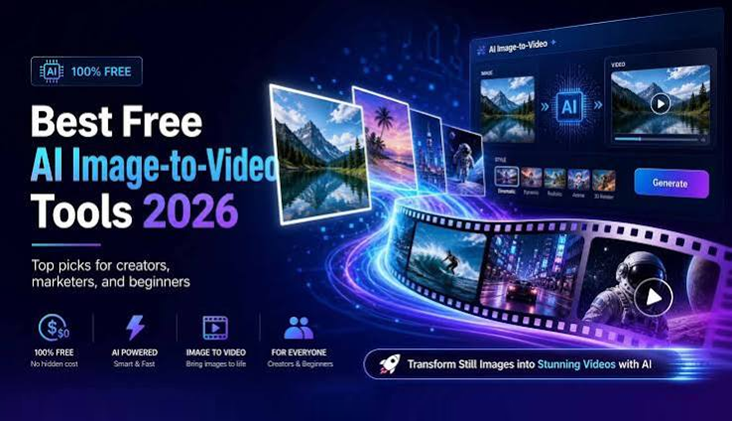

The process of turning a photo into an animated video will require editing abilities as well as animation software. By 2026, AI is making the process much simpler. It is possible to upload one picture and describe the motion you wish to create, then allow an AI model to generate the video. The trick is to choose the best instrument. Some are best suited for real-time motion, while others are for cinematic effects, creative effects, scenery, social media, or production by professionals. These are the top image-to-video AI software tools to think about for 2026.
1. Magic Hour – best overall image-to-video AI tool
Magic Hour’s image-to-video AI tool lets users turn photos into videos with a simple upload-and-prompt workflow, with no sign-up required to try it.
It offers multiple leading AI models, plus tools for face swaps, lip sync, talking photos, video editing, and upscaling.
The free image to video ai option is useful for beginners, while paid plans offer higher limits and advanced features. Creator starts at $19/month ($12/month annually), Pro at $39/month ($25/month annually), and Business at $99/month ($66/month annually).
Best for: beginners, social media creators, marketers, businesses, and anyone wanting several AI video models in one place.
2. Runway – best for professional creative workflows
Runway remains one of the strongest choices for creators who need advanced control over AI video. Its latest platform includes image-to-video generation alongside video editing, image creation, visual effects, and other creative tools. Runway’s current Gen-4.5 model supports image-to-video generation, while the platform also provides access to other models.
One advantage is its focus on consistency. Runway’s Gen-4 technology was designed to maintain characters, objects, locations, and visual styles across generated scenes. For creators working on cinematic projects, advertising concepts, storyboards, or visual experiments, that control can be valuable.
Best for: filmmakers, agencies, designers, and advanced AI video creators.
3. Kling AI – best for realistic motion
Kling AI has become a major name in AI video generation, particularly for users who want detailed movement and realistic-looking scenes.
Its current platform includes image-to-video, video generation, image generation, sound generation, and motion-control tools. Kling’s Video 3.0 series also focuses on multimodal instructions, longer-form storytelling, visual consistency, and native audio capabilities.
For an image-to-video workflow, Kling can be useful when the source image contains people, products, environments, or action that needs natural movement.
Best for: realistic motion, cinematic clips, character scenes, and creative experiments.
4. Luma AI – best for quick photo animation
Luma AI offers a dedicated photo-to-video experience that lets users upload an image and describe the movement they want.
Its interface is simple, with options for selecting a duration and aspect ratio before generating the clip. It helps to convert an ordinary photo into a very dynamic clip.
Best for: quick animations.
5. Adobe Firefly – best for Adobe users
Adobe Firefly is the ideal choice for Adobe users who want AI-powered tools for image-to-video within their workflows that already creative. Ideal for designers as well as marketers and content creators.
6. Pika – best for social media experiments
Pika is another popular choice for creators who enjoy short, playful, and highly visual AI videos.
It is especially suitable for social media content where unusual movement and eye-catching transformations can make a post stand out.
Instead of using image-to-video as a substitute for traditional filmmaking techniques, Pika is a great imaginative playground for concepts. For TikTok, Instagram, short-form video, and creative effects, it is a good option/
How to choose the best image-to-video AI tool
The ideal tool will depend on the goals you intend to achieve. If you want a basic Web-based workflow, with a range of leading options, Magic Hour is a good place to start. For advanced filmmaking and visual control, Runway is worth considering. Kling is a good choice when realistic movement is important, while Luma AI suits quick photo animation.
Also consider pricing, video quality, available models, export resolution, commercial rights, generation limits, and other factors before choosing a platform.
Tips for getting better image-to-video results
Use a clear and good quality picture. Blurred faces, objects, or details, and low resolution will be more obvious. Keep your motion prompt simple. Instead of describing the entire image again, focus on what should move. You might write, “the camera slowly moves forward while the subject turns toward the window.”
It is also worth generating several versions. AI video results can vary, so one generation may have better movement or facial detail than another. Finally, check the finished clip carefully before publishing. Look for unnatural hands, changing facial features, warped text, sudden camera movements, or objects that lose their shape.
At a glance
Tool | Best for | Main strength |
| Magic Hour | Beginners and creators | Easy workflow and multiple AI models |
| Runway | Professional creators | Advanced creative control |
| Kling AI | Realistic videos | Natural motion and detailed scenes |
| Luma AI | Quick animations | Simple photo-to-video workflow |
| Adobe Firefly | Adobe users | AI video within creative workflows |
| Pika | Social media creators | Playful effects and creative transformations |
How we choose these tools
We looked at the main features that matter when turning images into videos. These include video quality, motion control, ease of use, available AI models, creative features, pricing, and generation limits. Also, we considered the kind of user that each tool can serve. A few platforms are best for those who are new and want quick video clips on social media. However, other platforms offer greater control and flexibility for professionals who want to create.
Market trend
Image-to-video AI is expected to become an increasingly important part of the workflow of creatives from 2026. Technology is improving its ability to generate natural movement, maintain objects and characters in motion, and create longer, more detailed videos.
A second trend that is growing in popularity is the blending of multiple AI functions into one software. Video, image, and editing creation, plus sound lip-sync and more, are being combined, making AI video creation easier for businesses and creators.
FAQ-Frequently Asked Questions
What image-to-video AI software is the best choice for novices?
Magic Hour is a good start for those who are new to the game since its process is easy and its users are able to test the video-to-image feature with no sign-up for an account.
What is the best tool to create realistic motion?
Kling AI is an excellent option for realistic motion. It’s designed to produce intricate scenes, characters, and films.
Do I have the ability to use image-to-video AI on social media?
Yes. Software such as Magic Hour and Pika can help you create short and engaging videos on platforms like TikTok as well as Instagram.
How do I obtain higher quality AI-generated video?
Make sure you start with a clear, high-quality image, and then make use of a basic motion call. Make several variations and examine the final footage for problems like distorted faces, hands, text or other objects.